
Make your achievement easy to verify
Share your AGILE-HRP credential with a link to the information behind it.
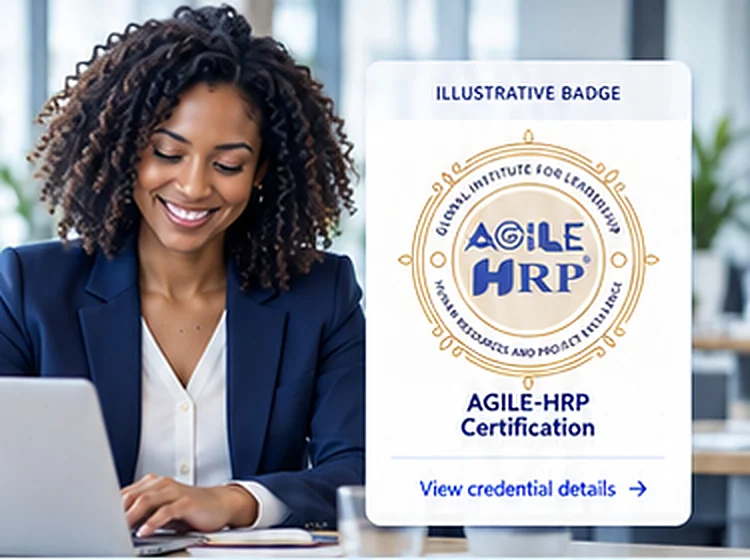
An AGILE-HRP digital badge provides a shareable representation of an awarded credential. Linked credential information helps colleagues, clients and employers understand the achievement and check the details presented by the issuing system.
Use your badge to connect your professional profile with your certification record. Share its verification link wherever possible so viewers can review the credential information rather than relying on an image alone.

A credential with information behind it
A digital badge brings the visual identity of a credential together with information about the achievement. Depending on the credential and issuing platform, this may include the recipient, credential title, issuer, award date, relevant criteria and status or expiry information.
The verification record is the reference point for understanding the badge. A downloaded image is useful for display, but it does not by itself show whether the credential information is current.
-
Credential titleConfirms the name of your AGILE-HRP credential.
-
Issuing organizationShows who issued the credential.
-
Award informationIncludes relevant details about your certification.
-
Verification detailsProvides a link to the official record.

Access your badge after certification
After your certification has been awarded, follow the badge issuance or activation instructions provided through your official certification communications. Check that the email address on your record is correct and review your inbox and spam folder for the relevant message.
If the process requires an account or acceptance step, use the instructions supplied with the invitation. Review the displayed credential information and available privacy settings before sharing publicly. Contact AGILE-HRP if the name, credential title or other details appear incorrect.
Share your badge in four steps
A simple process to help you access and share your AGILE-HRP digital badge.
-
1Locate your official badge instructions
Use the certification communications sent to the email address on your record.
-
2Review and activate where required
Check the credential details and follow the acceptance instructions provided by the issuing platform.
-
3Copy the verification link
Use the sharing or credential URL associated with the badge rather than linking only to an image file.
-
4Add it to your professional presence
Share the badge on an appropriate profile, website or signature and check that the link opens correctly.
Share your credential with context
Your AGILE-HRP digital badge can be shared in a variety of professional settings.
-

Professional networking profiles
Add the credential using its exact awarded title and the verification URL. Where the platform provides fields for the issuing organization, award date or expiry date, copy the information accurately from your credential record.
-

Your resume and professional biography
List the certification in an appropriate qualifications section and include the verification link in digital versions. Use any authorized designation in accordance with the applicable credential guidance.
-
Email signatures and personal websites
Display the badge at a readable size and connect it to the official verification record. A concise description helps viewers understand the achievement without overstating its scope.
-

Employer and client verification
Provide the verification URL when an organization asks about your qualification. Share additional documents through an appropriate channel if requested; a badge link should not require you to disclose unnecessary personal information.

What employers and other viewers should check
Review the credential title, named recipient, issuing organization and any dates or status information displayed. Read the achievement criteria to understand what the credential represents. Confirm that the verification page relates to the individual and qualification being presented.
If information is incomplete or an organization's requirements need further evidence, contact the credential holder or AGILE-HRP through an official channel. A badge supports credential verification; it does not substitute for an employer's assessment of role suitability.
- Match the recipientConfirm the badge belongs to the individual.
- Review issuer and datesVerify it was issued by AGILE-HRP and review the relevant dates.
- Confirm the credential titleCheck that the credential name is accurate.
- Check the linked recordUse the link to view the full credential information.
Protect the integrity of your credential
Use the badge as issued and retain the link to its verification information. Do not alter the title, recipient details, award level or other credential information. Represent your qualification accurately and follow AGILE-HRP guidance on using names, logos and authorized designations.
Review your shared links when your credential is renewed or its status changes. Check the official record before describing a credential as current. Adjust public descriptions where necessary so your professional profile remains accurate.
Frequently asked questions
Get quick answers to common questions about AGILE-HRP digital badges.
Is a badge image the same as a verifiable credential?
The image is the visual representation. The linked credential record provides the information viewers need to understand and verify the achievement.
I earned a certification but cannot find my badge?
Check the email address used for your certification and review your spam folder. Contact [email protected] with your full name, certification title and certification number if available. Do not send passwords or sensitive identity documents in an initial enquiry.
Can I share my badge on more than one platform?
Use the sharing options supported by the issuing platform and the rules applicable to your credential. Keep each display linked to the official verification record wherever possible.
What if my name or credential details are incorrect?
Contact AGILE-HRP to request a review. Provide the correct information and the relevant credential reference. Avoid editing the badge image to compensate for an error in the record.
What happens when my certification is renewed?
Follow the instructions supplied with your renewal decision and check that the badge or linked record reflects the current credential information. Update public links or displays if instructed.
Let your achievement speak clearly
Present your certification accurately, connect it to verifiable information and make it easier for others to understand the competence your credential represents.